
Check the platform before connecting another workflow.
Assess ordinary, non-urgent maintenance follow-through only after checking the property software, its configuration and the staff process already in place.
This is a fit assessment, not a claim that a particular platform needs a custom integration or that a connector is available.
The platform may already cover the work.
PropertyMe describes Jobs as a connected workflow for maintenance requests, supplier quotes, owner approvals, communication, follow-ups and progress. Those are native capabilities, not an integration gap merely because staff use another screen.
First review the configured Jobs and Automations workflow, permissions, templates and team process. If using those correctly resolves the issue, a custom workflow is not the recommendation.
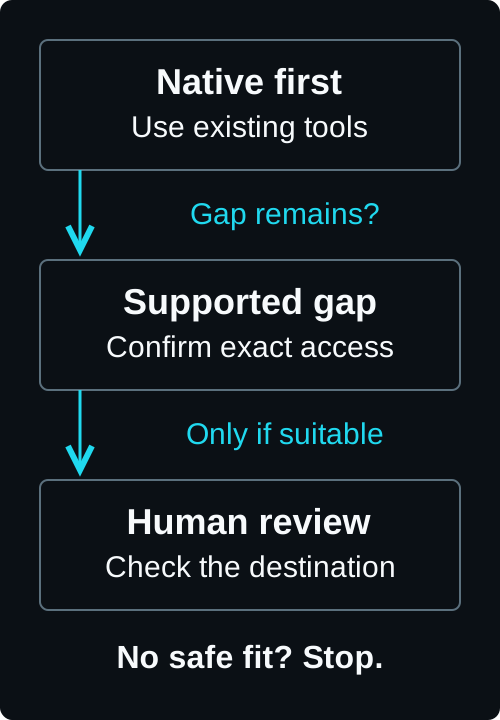
Only connect a demonstrable gap between supported systems.
Consider a separate connection only when a specific ordinary, non-urgent record or approved communication is held in another authorised business system, remains outside the configured native workflow, and both systems expose a supported interface for the exact read or write.
No PropertyMe API availability, plan entitlement, connector compatibility or customer-specific gap is established here. Establish those facts for the exact systems before proposing implementation.
Emergency and urgent repairs are outside this workflow.
Tenants and staff must use the property team’s established emergency and urgent-repair channels. Those channels must not depend on AI recognising, classifying or routing an emergency.
An ambiguous message does not trigger an automated urgency decision or continue through the ordinary workflow. A person reviews it while the established urgent channels remain separate and active.
A useful assessment can recommend no custom workflow.
Stop when native configuration or a clearer process solves the problem, an interface is unsupported or unsafe, records cannot be matched reliably, or no named review owner is available.
A useful first engagement maps one redacted ordinary maintenance handoff: authoritative records, supported interfaces, approved fields, reviewer, exception path and destination proof. It may recommend native configuration, a smaller connection, process correction or no-fit.
Bring one ordinary maintenance handoff.
Start with a redacted example and the systems involved. Check native capability and supported access before deciding whether any connection is useful.